Restarting your headset
If the VR headset is not responding correctly, restarting it can often fix the issue.
This will close all running applications and start the headset again.
Restarting does not remove any data or training progress.
Restarting from the headset
- Put on the VR headset.
- Press and hold the power button on the headset.
- A power menu will appear.
- Select Restart.
- Wait for the headset to restart.
The headset will automatically turn off and start again.
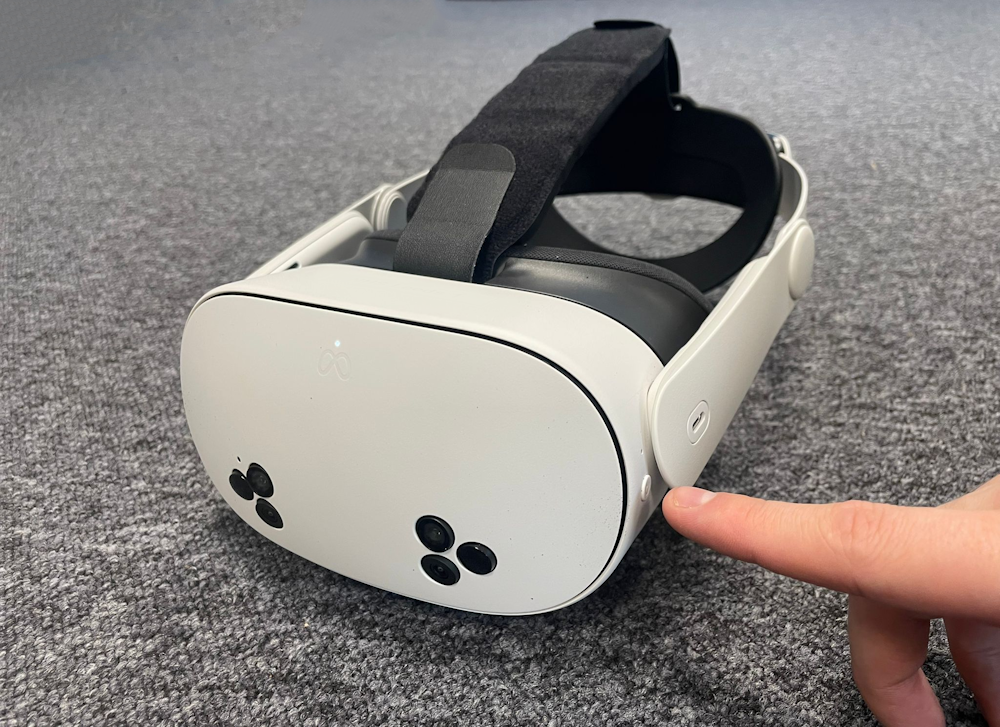
Restarting if the headset is frozen
If the headset does not respond:
- Press and hold the power button for about 10 seconds.
- The headset will turn off.
- Press the power button again to turn it back on.