Using lesson plans
Lesson plans allow trainers to organize which training modules students should complete.
They make it easier to guide students through a structured training program.
Lesson plans are managed through the Training Workx portal.
You can access the portal at:
- Logistic Workx: portal.logisticworkx.com
- Cleaning Workx: portal.cleaningworkx.com
Creating a lesson plan
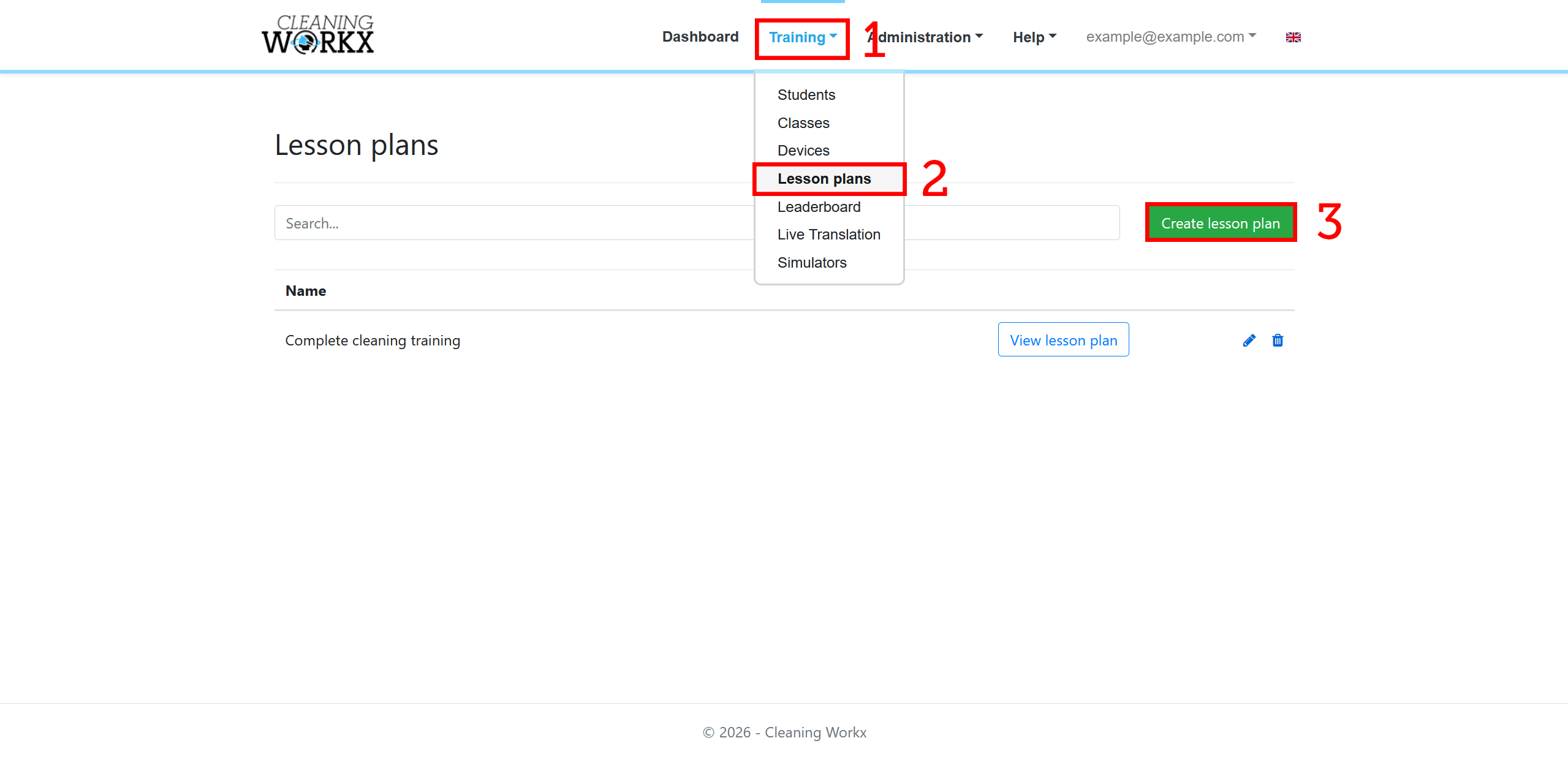
- Log in to the Training Workx portal.
- Go to Training → Lesson Plans.
- Click New Lesson Plan.
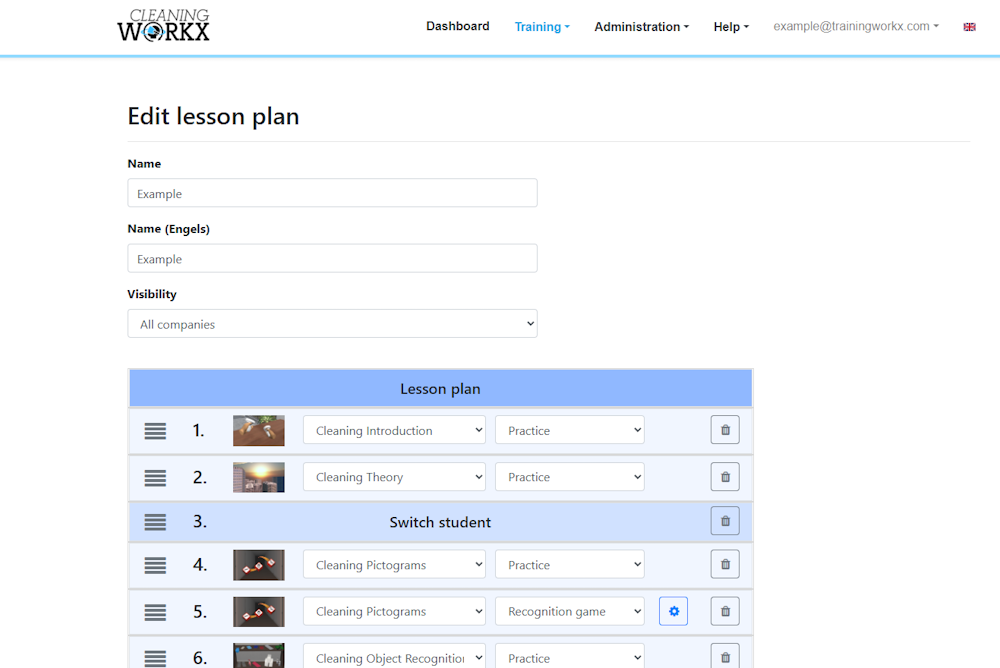
- Enter a name for the lesson plan.
- Select the modules you want to include.
- Save the lesson plan.
Assigning a lesson plan
Once a lesson plan is created, it can be assigned to students or classes.
- Open the lesson plan in the portal.
- Select the students or class that should use it.
- Save the changes.
Students will now see the assigned modules when starting the VR training.
Using lesson plans in VR
When students start the training, the modules from the lesson plan will appear in the module selection screen.
They can then complete the modules in the order defined by the trainer.